Test your controller.
Then use it everywhere.
A gamepad tester, calibration bench and couch remote for Android 4.3 and newer. No ads, no account, no internet.
One-time purchase · Phone & tablet · Works offline
Every button checked.
Every stick calibrated.
Every press yours.
How it works
Pair it, press it,
know it.
Three steps, and nothing to sign up for.
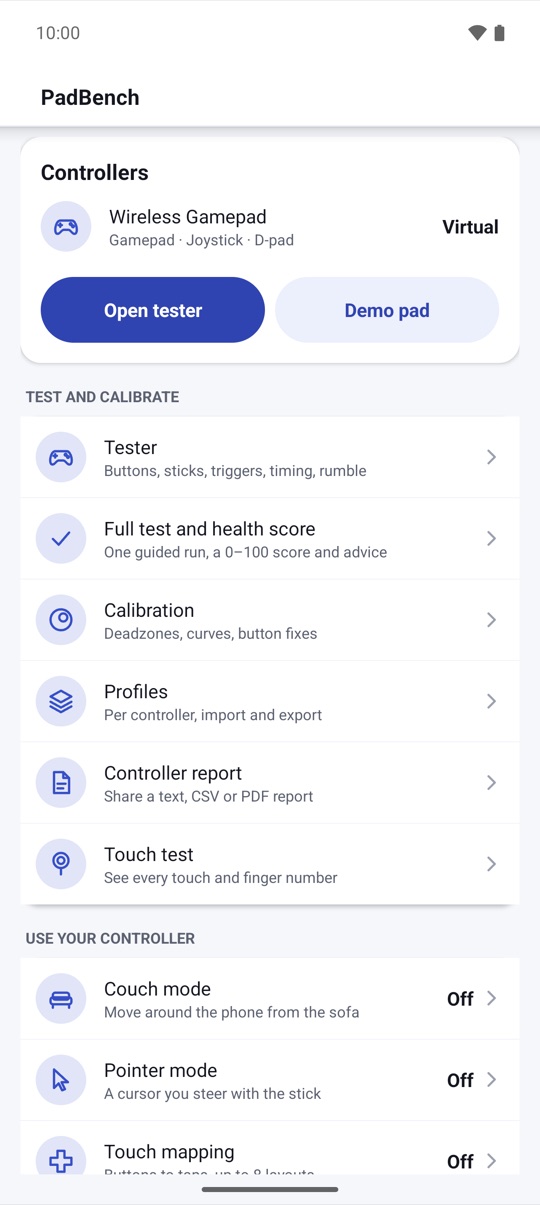
- 01Connect your controllerPair it in Android's Bluetooth settings or plug it in with an OTG cable. PadBench lists it within a second, with its axes and ranges.
- 02Test and calibratePress every button, roll the sticks and squeeze the triggers. Fix drift with deadzones and curves, and save a profile for that controller.
- 03Use it on your phoneTurn on couch mode or pointer mode to move around Android from the sofa, or place a few taps for basic touch mapping.
Gamepad tester
Every button,
lit up live.
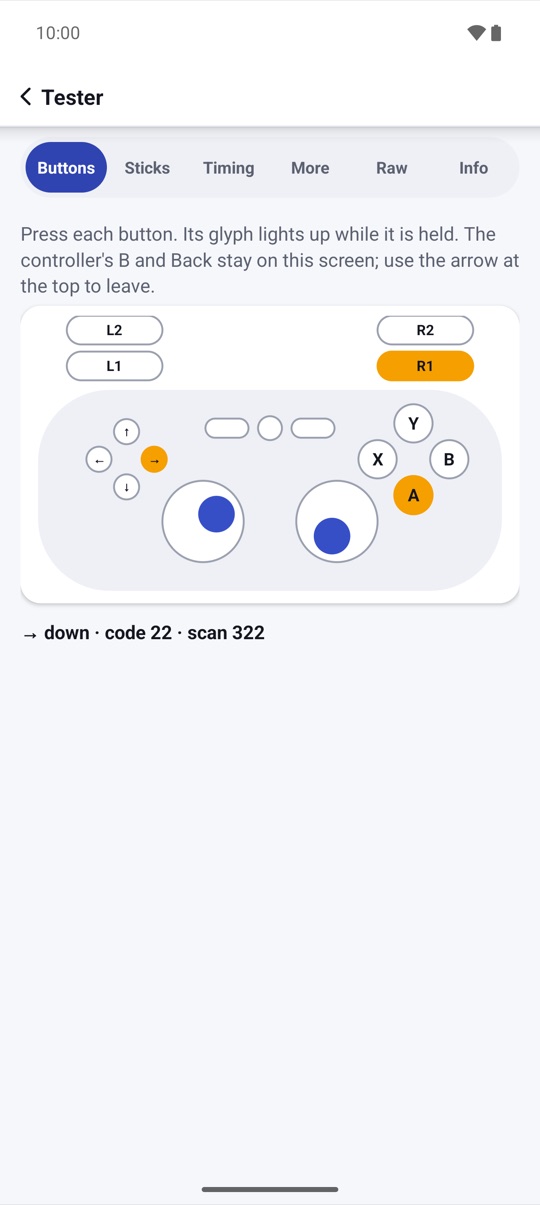
Each press lights its glyph on a clear on-screen pad, with the key name, scan code and how long you held it. PadBench warns about chatter, lists unknown buttons by scan code, and keeps you on the screen when you test B.
- A guided full test with a 0–100 health score and advice
- Raw view of every axis and key for unrecognized pads
- Most Bluetooth and USB controllers that Android recognizes
Sticks and triggers
Drift, circularity
and noise, measured.
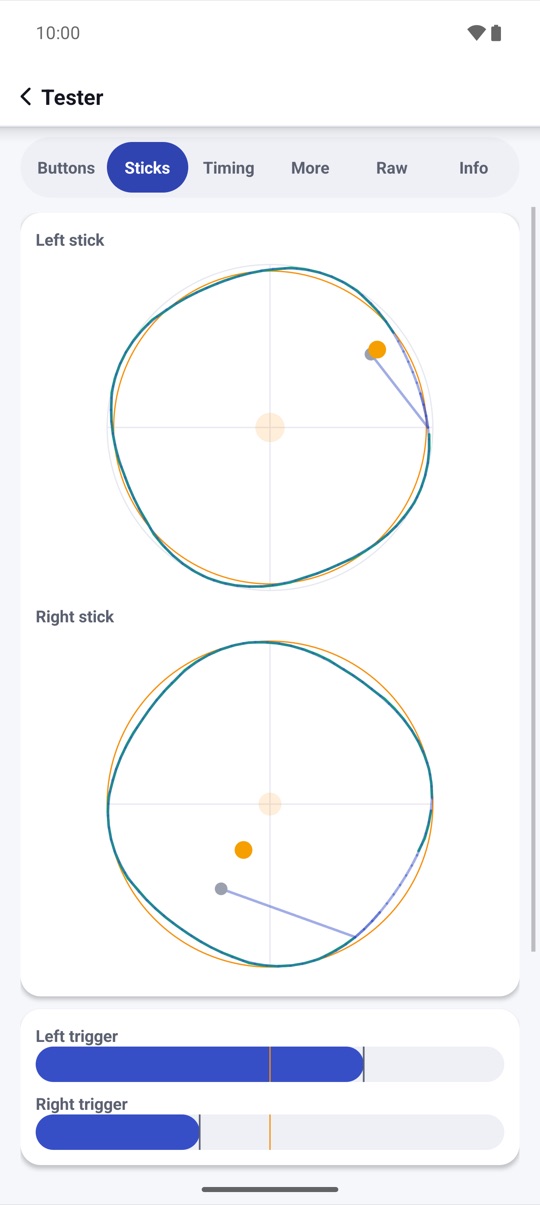
A live 2-D plot shows each stick with its trail. Roll it once for a circularity score, leave it for three seconds to measure drift at rest, and squeeze the triggers to see their travel curve. Event rate and press-to-frame time are measured inside Android, and labeled that way.
- Polling histogram with jitter and min/avg/max, CSV export
- Deadzone estimate from the drift test, applied in one tap
- Rumble, plus battery, lights and motion sensors on Android 12+
Calibration
Deadzones and curves,
before and after.
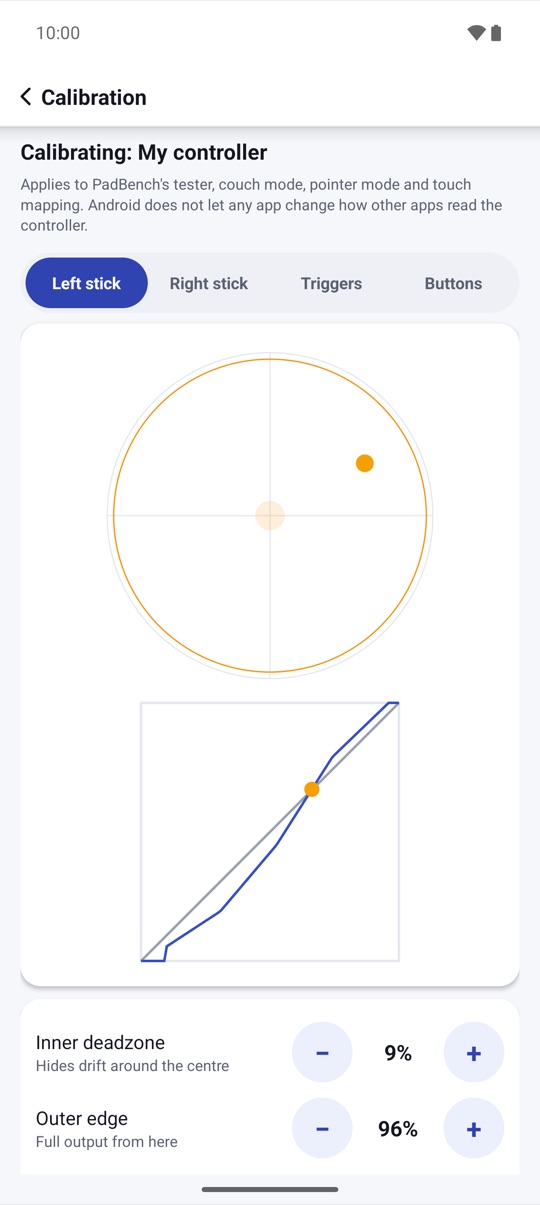
Set inner and outer deadzones, radial or axial, an anti-deadzone and a response curve, and watch the before/after plot move with your stick. Invert or swap axes and fix swapped A/B buttons. Profiles are picked when that controller connects.
- Linear, smooth, aggressive or your own curve
- Profiles per controller, export and import as .padbench files
- Applies to PadBench's own features and mapping
Couch mode
Your phone,
from the sofa.
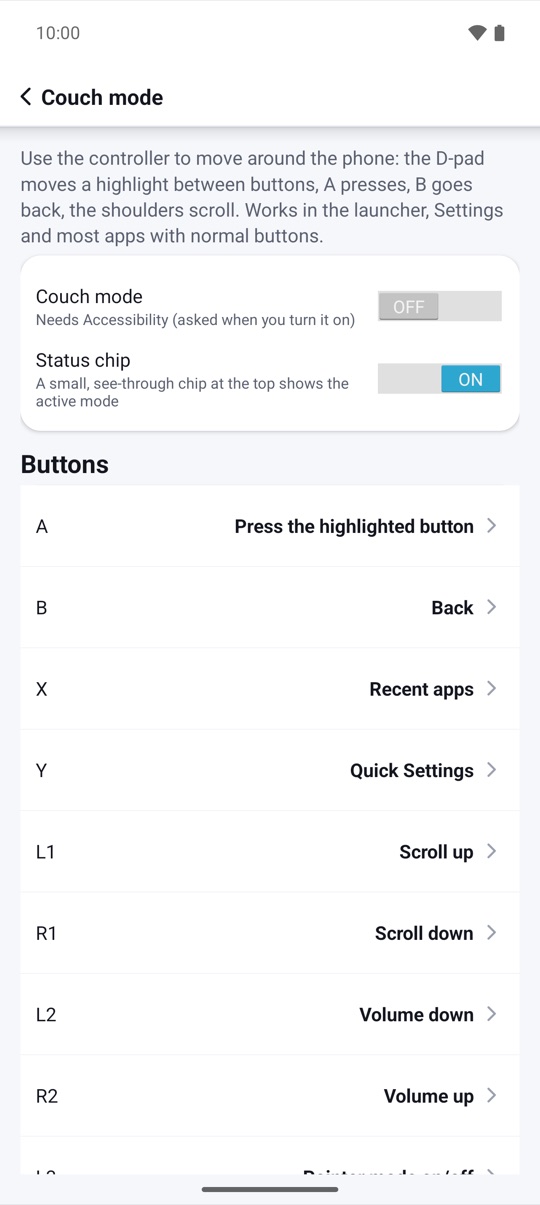
Back, Home, Recents, notifications, quick settings, music volume steps and media play, fast-forward and rewind from your controller, plus the power menu, split screen, lock and screenshot where your Android version offers them. The D-pad moves a focus ring over buttons in normal apps and A selects.
- Every binding editable
- Hold Select + Start to pause
- Pauses by itself in apps you choose
Basic touch mapping
Place a tap,
press a button.
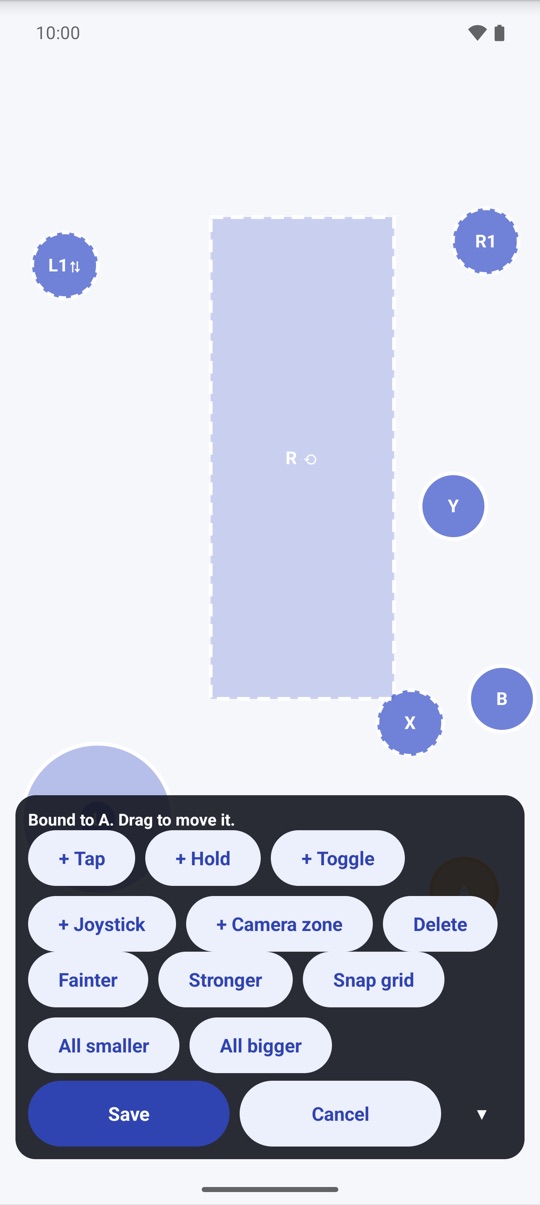
Up to 16 controls in 8 layouts: tap, hold, toggle-hold, a virtual joystick on the left stick or D-pad (4- or 8-way), and a basic drag zone for the right stick. Set opacity, a snap grid and size, and share a layout as a file. On Android 7 and newer no PC is needed; on any version an optional helper you start with one PC command gives real multi-touch.
- One press, one touch you placed; nothing runs by itself
- Per layout: capture sticks, pass unmapped buttons
- Fair-play notice before your first layout
And more
The small things,
done right.
Calibration
See what a curve
does to your stick.
Below the inner deadzone the stick reports nothing, so a drifting stick stays still. Above it, the curve decides how fast the output grows: linear for one-to-one, smooth for fine control near the center, aggressive for quick turns.
- Leave the stick alone and read its drift
- Set the inner deadzone just above it
- Pick the curve that feels right and save the profile
Illustrative example: dashed linear, smooth and aggressive curves with a 12% deadzone.
Honest compatibility
What works
on which Android.
The same table is in the app, built from your phone's version and what is turned on.
| Android | Tester, calibration, report | Couch mode | Pointer click | Touch mapping |
|---|---|---|---|---|
| 4.3–4.4 | Yes (PDF from 4.4) | Yes | Buttons in normal apps | With the PC helper |
| 5.0–6.0 | Yes | Yes, plus power menu | Buttons in normal apps | With the PC helper |
| 7.x | Yes | Yes, plus split screen | Real tap | No PC needed (one gesture at a time), or the helper |
| 8–13 | Yes (battery and lights from 12) | Yes, plus lock and screenshot (9+) | Real tap | No PC needed (hold and tap together), or the helper |
| 14–16 | Yes | Yes, plus menu and media keys (16) | Real tap | No PC needed, analog sticks too, or the helper |
Couch mode, pointer mode and gesture mapping use Android's Accessibility service, turned on by you. If Android's Advanced Protection blocks it, PadBench explains why and offers helper-only mode.
Pricing
Pay once.
Everything included.
No subscription and nothing locked. Buy PadBench once on Google Play and every feature is yours, on your phone and tablet, in 20 languages.
Everything included
- Health score, button, stick, trigger, polling and rumble tests
- Calibration and per-controller profiles
- Couch mode and pointer mode
- Basic+ touch mapping (8 × 16) and the PC helper
- Controller report, backups and every future update
US$4.99 in the United States. Google Play shows the price in your currency. Google Play's refund policy applies.
No catch.
Privacy
Your presses
stay on your phone.
Controller presses are handled in memory and never logged. Only the profiles, layouts and bindings you save are stored, on your device only.
Only what you save or share yourself, such as a .padbench profile, a controller report or a backup file. PadBench has no internet permission, and Android device backup stays off unless you turn it on. Privacy policy →
Questions,
answered.
Will it work with my controller?
PadBench works with most Bluetooth and USB controllers that Android recognizes. Open the tester: if Android sees your controller, PadBench shows it, including buttons it does not know by name.
Is it safe to use in online games?
Some online games forbid third-party input tools, remappers or macros in their terms. Using them may get your account restricted. Check each game's rules. PadBench only turns your own presses into touches. It does not aim, automate, or hide itself.
Why does it ask for Accessibility?
Couch mode, pointer mode and gesture mapping need it to read controller presses, see the app in front, find on-screen buttons and perform the taps you set up. It only performs the actions you set up, does not read messages or passwords and sends nothing anywhere. The tester and calibration work without it.
Do I need a PC?
Not for testing, calibration, couch mode or pointer mode. Touch mapping needs no PC on Android 7 and newer. On Android 4.3–6, or for real multi-touch, you start an optional helper with one adb command from a PC after each restart. It starts detached, so you can unplug; if your phone ends it, keeping the adb shell open is the fallback. PadBench reconnects by itself and shows "Helper not running" with the command again when it is gone.
Does calibration fix my controller in other apps?
No. Android does not let any app change how other apps read a controller. Calibration applies to PadBench's own features and its touch mapping.
Does it measure my total input lag?
No. It measures the event rate and the time from a press to the next frame inside Android. Wireless delay can't be measured from the phone, and PadBench says so.
Is there a subscription?
No. PadBench is a one-time purchase on Google Play, with no in-app purchases and no ads.